Hello Gin
Simple basics on a GET and POST request for Gin in Go.
On this page
A simple implementation of the Gin web framework for go.
Installation
go get -u github.com/gin-gonic/ginHello world
package main

import "github.com/gin-gonic/gin"

func main() {
    r := gin.Default()
    r.GET("/ping", func(c *gin.Context) {
        c.JSON(200, gin.H{
            "message": "pong",
        })
    })
    r.Run(":3000") // listen and serve on 0.0.0.0:8080
}
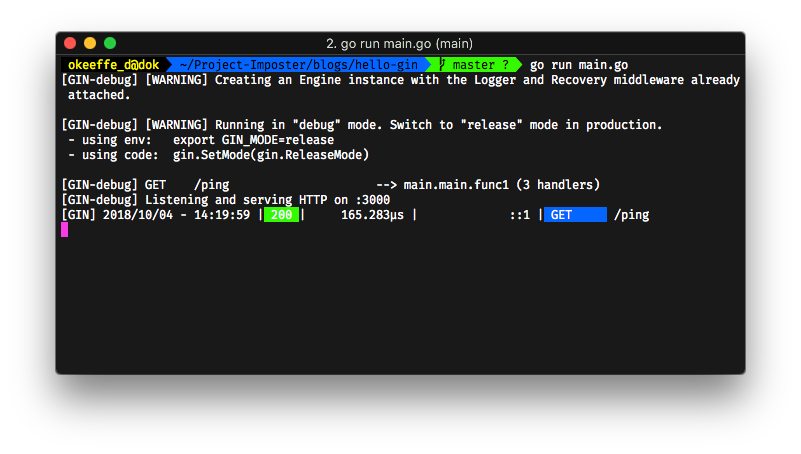
If we now run go run main.go we can start the server on port 3000. Either using curl http://localhost:3000 or a GUI like Postman, we can see the results:

Handling JSON data
We need to bind the JSON data to a struct. Let's update the code to have the following:
package main

// Update here
import "github.com/gin-gonic/gin"
import "net/http"
import "fmt"

// Update here
type PostData struct {
    Hello string `json:"hello"`
}

func main() {
    r := gin.Default()
    r.GET("/ping", func(c *gin.Context) {
        c.JSON(200, gin.H{
            "message": "pong",
        })
    })

    // Update here
    r.POST("/post", func(c *gin.Context) {
        var json PostData
        c.BindJSON(&json)
        id := c.Query("id") // shortcut for c.Request.URL.Query().Get("id")
        page := c.DefaultQuery("page", "0")
        hello := json.Hello
        res := fmt.Sprintf("id: %s; page: %s; hello: %s", id, page, hello)
        fmt.Printf(res)

        c.String(http.StatusOK, res)
    })

    r.Run(":3000")
}
First, we update the imports to include the fmt and net/http libraries:
import "github.com/gin-gonic/gin"
import "net/http"
import "fmt"
Secondly, we create a struct that can have the JSON data bound to it:
type PostData struct {
    Hello string `json:"hello"`
}
Finally, we add a POST route that, for the sake of the example, takes two queries ("page" has a default value) and binds the JSON data to the struct.
r.POST("/post", func(c *gin.Context) {
    var json PostData
    c.BindJSON(&json)
    id := c.Query("id") // shortcut for c.Request.URL.Query().Get("id")
    page := c.DefaultQuery("page", "0")
    hello := json.Hello
    res := fmt.Sprintf("id: %s; page: %s; hello: %s", id, page, hello)
    fmt.Printf(res)

    c.String(http.StatusOK, res)
})
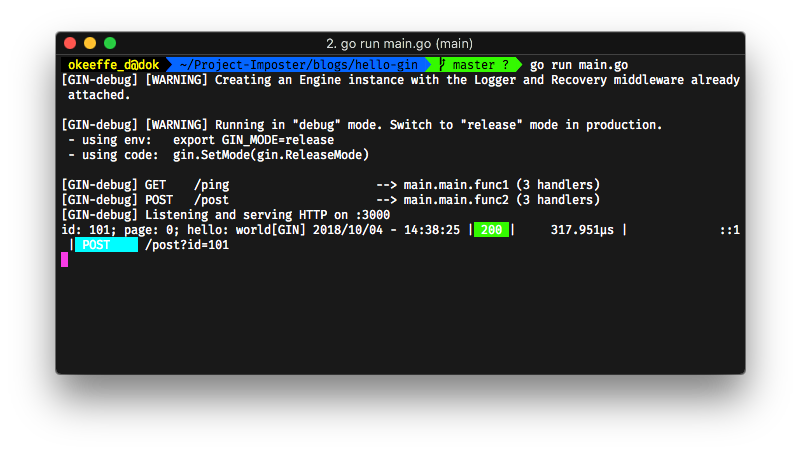
Finally, we log the result out and send back the res string to Postman.
Results:

For more information and documentation, check out Gin's github.
For my repo, check here
Hello is a series that is about short, sharp examples. Read more on this series to find small gems to add your toolset.